
Word Search Explorer review
 Analysis by GetAllApps
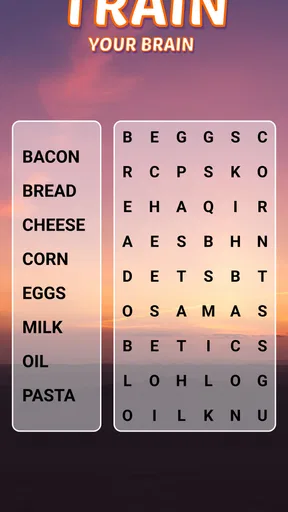
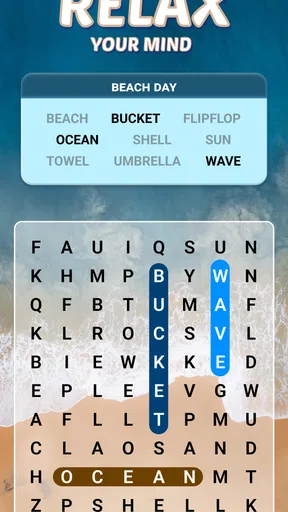
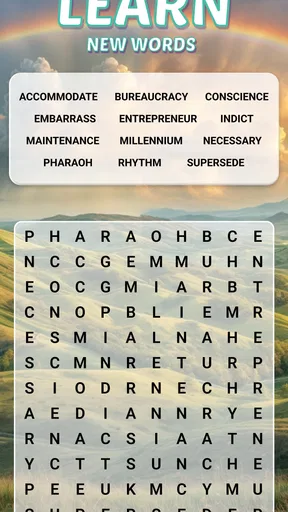
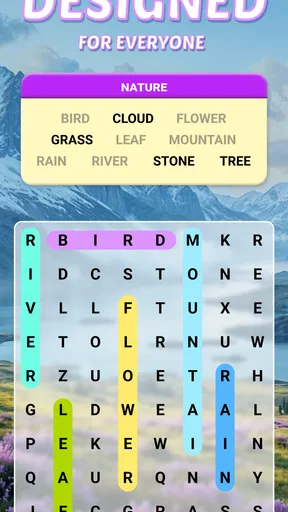
I like word-search games when I want something absorbing but easy to pause, and Word Search Explorer fits that role well. It is a free word game from PlaySimple Games, presented with older players in mind. Its appeal is straightforward: look for words in a letter grid, take the puzzle at your own pace, and return to it when you have a spare moment. The design intention makes it worth considering for seniors, but the basic format is familiar enough for anyone who enjoys a quiet brain-teaser.
When a simple puzzle still feels tricky
The main challenge in a word search is not learning complicated rules; it is keeping your place while scanning a crowded grid. I find it helps to choose one word and follow its letters methodically, checking in more than one direction instead of sweeping the screen randomly. A quick, unfocused scan can make a word seem absent when it is simply easy to overlook.
That distinction matters especially if you are playing on a smaller phone or have difficulty distinguishing letters at a glance. A visually pleasing presentation can make a puzzle more inviting, but it cannot remove the basic demands of reading and scanning. If the board feels tiring, a larger screen or a brief break may be more useful than trying to force a faster pace.
Word searches are also less satisfying for players who want a changing set of mechanics, a strong narrative, or head-to-head competition. This game is best approached as a calm, focused activity rather than a high-pressure challenge. I would recommend it to someone who likes spotting patterns and filling a few quiet minutes, not to a player looking for a complex campaign or a constant stream of action.
Making the first session comfortable
Before settling in, I would check that the device is running a compatible system: the game requires Android 8.0 or later. It is rated Everyone, which makes its content suitable for a broad audience. The game is free to install, though optional in-app purchases range from $0.99 to $49.99 per item, so anyone sharing a device with a child should take a moment to review the device’s purchase controls.
The current version is 1.290.0. If you have an older installation and something behaves unexpectedly, checking the app store for an available update is a sensible first step. I would also close other demanding apps if the phone feels sluggish, then reopen the game and try again. Those are ordinary device checks, not a promise that they will solve every issue, but they can help separate a temporary slowdown from a puzzle that is simply taking concentration.
For older players, or anyone who tires easily while reading small text, comfort is part of the setup. Try the game in good lighting, hold the phone at a comfortable distance, and avoid playing when you are already straining to see. If a screen setting makes text easier to read across the device, it may help; just remember that changing system display settings can affect other apps too.
A steadier way to work through a grid
My most useful habit is to scan in lanes. I look across a few rows, then shift to the next section rather than repeatedly jumping between corners. When I spot part of a target word, I trace the letter sequence before tapping, which cuts down on mistaken selections. The approach is deliberately unhurried: the point is to notice patterns, not to race the clock.
Another small adjustment is to stop searching for every word at once. I focus on one target, look for distinctive letters or letter pairs, and then verify the sequence from beginning to end. This is particularly helpful when a word contains common letters that appear all over the board. It also makes the activity easier to resume after an interruption, because I can restart with one clear target instead of trying to remember a whole-board scan.
That makes the game a practical fit for short breaks: waiting for an appointment, sitting with a cup of tea, or taking a pause between household tasks. If you are interrupted, there is no need to treat the unfinished puzzle as a failure. Put the phone aside and return when you can concentrate again. For someone who wants a small daily mental exercise without arranging a long play session, that flexibility is one of the format’s strongest qualities.
Recovering when progress stalls
If a word seems impossible to find, I first check whether I have been scanning only horizontally. Word-search puzzles commonly use letters in more than one direction, so it is worth checking vertical and diagonal paths as well as the reverse direction. That is a general solving technique rather than a claim about a particular puzzle’s layout. Slow down, follow a likely starting letter, and confirm each character in order.
If a touch does not seem to register, try tapping more deliberately and make sure your finger is landing on the intended letters. A rushed gesture can be hard to control on a compact screen. If several taps appear unresponsive, close and reopen the game; if the problem continues, restart the device and check for an update. These basic recovery steps are more useful than repeatedly tapping faster, which can make it harder to tell whether the game or the input is the issue.
When the game itself opens but a particular session feels confusing, reset your attention before changing anything. Read the target carefully, pick out its first and last letters, and scan for a plausible path between them. This gives you a fresh method without assuming that progress has been lost or that the app has malfunctioned. If you are playing with someone else, taking turns finding different words can also make a stuck puzzle feel less like a test and more like a shared activity.
When the phone, not the puzzle, is causing trouble
Not every frustrating session points to a problem inside the game. A low battery, a busy device, poor lighting, or an uncomfortable grip can all make a simple grid feel harder than usual. If the screen is slow across several apps, I would look at the phone’s general performance before blaming this one. If only the game is behaving oddly, reopening it and checking for an update are reasonable next checks.
It is also worth distinguishing visual strain from game difficulty. If letters are hard to read, changing your position or using a more comfortable display setting may help more than repeatedly zooming your attention into the grid. Anyone who consistently struggles to see or tap accurately may prefer word puzzles played on a tablet or another larger display. The trade-off is simple: a phone is convenient to carry, while a larger screen can make scanning more comfortable.
For a persistent technical issue, the app store’s support options are the right place to seek help. I would describe what happens, when it happens, and what basic steps you have already tried. That is more useful than assuming a puzzle has a hidden rule or making repeated changes without knowing whether the issue is related to the device, the installation, or the session.
How it compares with other word puzzles
Compared with crosswords, this is a more visual and less clue-driven way to spend time. You do not need to supply definitions or recall trivia; the task is to find letter patterns. Compared with anagrams, it asks less of you in terms of rearranging letters mentally, but more in terms of careful visual scanning. That makes it a good alternative when you want a word-based activity that feels direct and easy to pick up.
The same simplicity can be a limitation. Players who enjoy cryptic clues, vocabulary challenges, or solving a connected story may find a word-search format repetitive. And people seeking a competitive score chase should choose a game built around that kind of pressure. I would pick this one when I want a gentle puzzle that does not demand a long stretch of attention, and choose a crossword or a more varied word game when I want deeper clues or a different kind of mental challenge.
Who I would recommend it to
Its audience is broader than its senior-friendly presentation suggests. I can see it working for a family member who wants a readable, low-pressure pastime, for a casual player who likes scanning patterns, or for someone who wants a small activity between errands. It is also easy to share informally: one person can name a target while another searches, which turns a solitary puzzle into a relaxed joint task without needing elaborate rules.
PlaySimple Games has built a substantial audience for it: the game has over 100 million installs, around 1.3 million ratings, and a 4.9 average. Those figures suggest that the straightforward format resonates with many players, though they cannot tell you whether the pace or visual demands will suit you personally. I would still judge it by a short trial session and by whether the grid is comfortable to read on your own device.
A practical verdict for everyday play
Overall, I recommend Word Search Explorer if you want an approachable word puzzle that you can play without studying a rulebook. Its strengths are its familiar task, its unhurried feel, and its usefulness in short pockets of free time. The best way to enjoy it is to scan deliberately, take breaks when your eyes tire, and treat a difficult word as a cue to change your search pattern rather than rush.
I would skip it if you need elaborate progression, a story-led experience, or a puzzle that tests vocabulary through clues. I would also look for a larger-screen option if tapping and reading on your phone feels uncomfortable. For everyone else, it is a sensible free game to try, with optional purchases to keep in mind and a format that stays focused on finding words. Its appeal is not complexity; it is having a calm, ready-to-play puzzle when a few minutes of focused attention sound good.
Pros and cons
Pros
- A large word library keeps puzzles feeling varied.
- Adjustable difficulty suits both casual and experienced players.
- Offline play makes it convenient while traveling.
- Hints help when a word is difficult to spot.
- Simple controls make the game easy to learn.
Cons
- Some puzzles may feel repetitive over time.
- Hints can reduce the challenge of tougher boards.
- Small letters may be hard to read on compact screens.
- Progress may not transfer between devices.
- Ads can interrupt play in the free version.


